


Tizi Town - Pink Home Decor
3.999.00 Reviews
App Specs
- Version
- 1.4.4
- Updated On
- License
- Free
- Downloads
- 10,000,000+
- Developer
- Tizi Town Games
- Categories
- Educational
- Platform
- Android
Screenshots
 Analysis by AppCompare
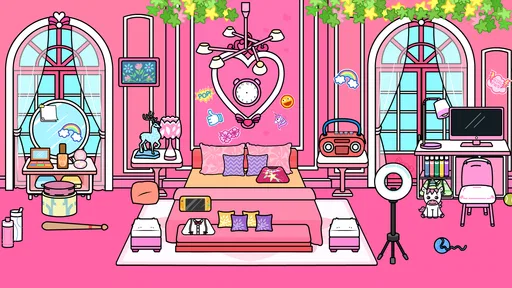
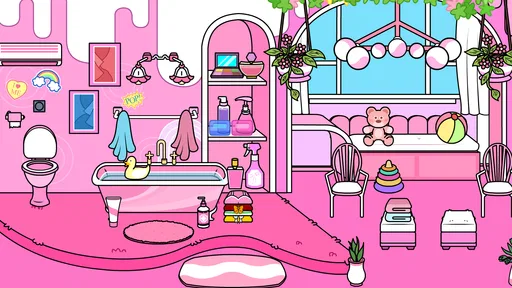
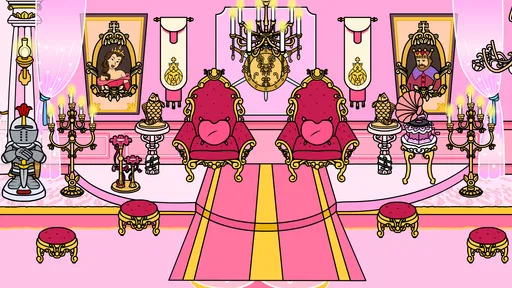
I find Tizi Town - Pink Home Decor easiest to understand as a playful, focused design game: the main appeal is shaping a room until it feels like your own, rather than following a complex renovation plan. That makes it a low-pressure pick for anyone who wants to experiment with color and decor without needing real design knowledge. Its pink, cheerful presentation sets a clear mood, so I would approach it as a light creative activity, not a realistic tool for planning a home makeover.
What the decorating focus feels like
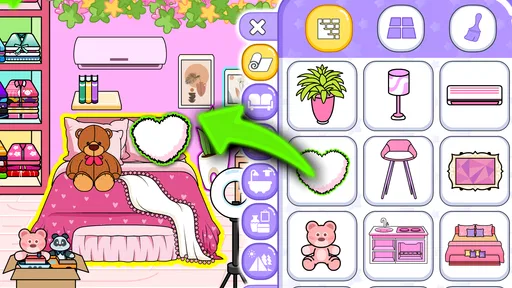
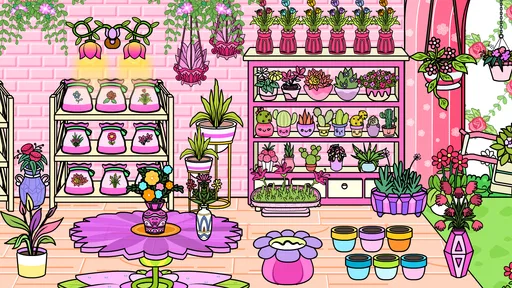
As an educational game from Tizi Town Games, it turns interior design into accessible play. The satisfaction comes from making visual choices: deciding where furniture belongs, then using wallpaper, plants, pictures, or accessories to give a space more personality. I like that the basic idea is easy to grasp. You can begin by changing one obvious element and then see whether the rest of the room works around it, instead of needing to learn a set of design rules first.
That simplicity is also the important boundary. I would not treat the game as a floor-planning app or expect it to teach professional decorating techniques. Its value is in trying combinations and enjoying the result, not in measuring a real room, comparing materials, or producing a practical shopping plan. If your aim is to explore a playful version of home styling, that focus makes sense; if you need accurate renovation guidance, a dedicated planning tool is a better fit.
A small workflow that makes choices easier
When I decorate, I find it useful to work from the biggest visual decision toward the smallest. I start with the room’s overall look, then arrange the main furniture, and only after that add details such as plants and pictures. In a drag-and-drop game, this order helps me avoid spending time on accessories before I know where the main pieces will sit. It also gives each choice a purpose: a small accent can balance a corner or reinforce a color, rather than simply filling empty space.
I would also try changing one type of element at a time. If you swap the wallpaper, move furniture, and add several decorations all at once, it can be hard to tell which change made the room feel better. Making a few deliberate edits gives you a clearer sense of your own preferences. That is a useful little design habit, even if the game itself is meant to stay casual.
Unleashing Your Inner Designer
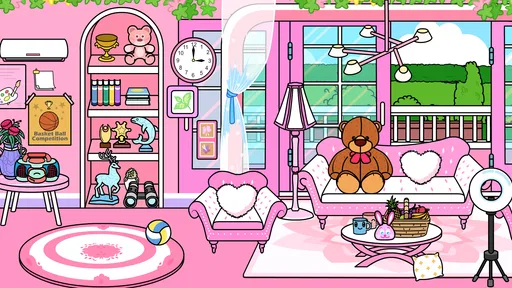
First off, let’s talk about the sheer joy of decorating. Tizi Town - Pink Home Decor offers a vibrant palette of colors and styles that can make anyone feel like a pro interior designer. Whether you’re rearranging furniture or choosing the perfect wallpaper, this app gives you free rein to design your ideal space.
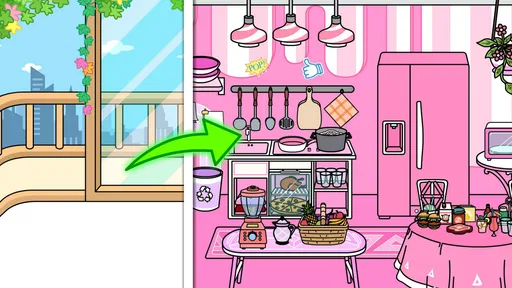
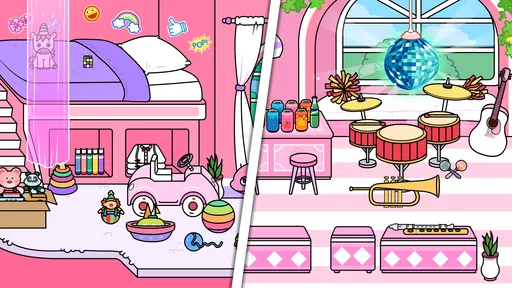
One of the coolest features is the variety of rooms you can decorate. From cozy bedrooms to chic living rooms, the app provides a plethora of options to experiment with. The interface is user-friendly, making it easy to drag and drop items where you want them. It’s like playing a game, but with a touch of real-life interior magic!
Worth Reading Before You Choose

Flipboard Shows What News Apps Must Do Beyond the Feed

Switching to Android Auto Means Rethinking Your Driving Routine

Google Calendar Makes a Crowded Week Easier to Manage

Ludo King Makes the Most of the Minutes Between Plans

Baby Panda World Brings Quick Play to Modern Phones, but Its Game Library Feels Busy

ESPN’s Live Game View Makes Following Close Games Easier
Fun and Interactive Elements
What makes Tizi Town even more engaging is its interactive elements. You’re not just placing furniture; you’re creating a living, breathing space. You can add little touches like plants, paintings, and even quirky accessories that add personality to your rooms. The app encourages creativity by challenging you to think outside the box.
Another fun aspect is the social feature, where you can share your designs with friends or check out what others are creating. It’s a fantastic way to get inspired or inspire others with your unique designs. Plus, who doesn’t love a little friendly competition in who has the chicest living room?
Why It Stands Out
In a sea of home decor apps, what makes Tizi Town shine? It’s all about the attention to detail. The graphics are colorful and charming, creating an inviting atmosphere that draws you in from the get-go. The app developers have clearly put a lot of thought into the aesthetics, making it visually appealing and fun to use.
The app also has regular updates which means there’s always something new to explore. Whether it’s fresh decor items or new room themes, there’s always a reason to come back and get your creative gears turning.
Room for Improvement
While Tizi Town is a blast, there are a couple of things that could make it even better. For instance, having more customization options for furniture and accessories would add to the app’s appeal. Also, a few users have mentioned occasional glitches, but these are pretty minor and don’t take away from the overall experience.
Another potential improvement could be the addition of more interactive tutorials for beginners. While the app is relatively intuitive, a guided walkthrough could help new users get the hang of things quicker.
How it fits into an ordinary day
I can see this working well as a short break between homework, errands, or other screen time. A child could spend a few minutes choosing a room’s look, then return later with a fresh idea; an adult might use it as a gentle wind-down activity when detailed puzzle games feel like too much effort. Because the goal is visual rather than competitive, there is no need to treat every session as a project that must be completed perfectly.
For a more satisfying session, I would give yourself a simple theme before moving things around: for example, make the room feel calmer, brighter, or more playful. That small constraint turns a loose decorating session into a creative challenge without adding pressure. It can also help when a screen is full of possible choices: instead of asking what looks best in general, you ask which item supports the mood you picked.
Choosing it over other design games
Compared with more elaborate home-design games, this one is better suited to quick, visual experimentation than long-term progression or realistic renovation planning. The drag-and-drop approach is inviting if you want to arrange a room directly, while a simulation built around budgets, clients, or detailed measurements would be more appropriate for someone seeking strategic depth. I would choose this game for a relaxed styling break, and choose a dedicated room planner if I were trying to decide what to buy or how to fit furniture in a real apartment.
It is also worth separating it from open-ended drawing apps. Drawing gives you complete control but asks you to create every object yourself; a decor game offers a more guided canvas in which the room and its furnishings provide a starting point. That can be especially helpful for younger players who enjoy making choices but do not want the blank-page challenge. The trade-off is that the result depends on the options the game makes available, rather than unlimited custom artwork.
What to expect before installing
The game is free to install, with in-app purchases priced at $1.99 per item, so I would treat any purchase as optional rather than assuming every decoration must be unlocked to enjoy the basic creative idea. For a child, it is sensible to check the purchase settings on the device and agree on expectations beforehand. The Everyone age rating makes it broadly suitable for family use, though younger players may still appreciate an adult nearby when navigating device-level purchase prompts.
It runs on Android 7.0 or later, and the current version is 1.4.4. The game has a 4.3 average from around 8.7 thousand ratings, with over 10 million installs. Those figures suggest that plenty of people have tried it, but they do not tell me whether its particular style will suit you. I would focus instead on whether you want a cheerful, uncomplicated decorating activity or a tool with realistic constraints and deeper planning.
Who gets the most from it
I think the strongest audience is children and casual players who like arranging rooms, making color choices, and adding small decorative touches without needing a complicated tutorial. It can also suit a parent and child sharing ideas: one person can suggest a look, while the other decides where pieces should go. For a budding designer, it is a friendly way to notice how a room’s overall feel changes when the main arrangement or a few accents change, though it should not be mistaken for formal instruction.
On the other hand, I would skip it if you want a serious interior-design simulator, detailed control over every object, or a reliable guide to furnishing an actual home. Players who need a strong storyline or demanding goals may also find the decorating-first approach too gentle. The right expectation is simple: this is a colorful space to try ideas, not a substitute for a professional plan or a deep management game.
First off, let’s talk about the sheer joy of decorating. The colorful palette and room choices invite experimentation, and the straightforward placement makes it easy to begin. For me, that remains the central reason to try it: you can focus on whether a room feels welcoming or lively without first learning a complicated set of controls.
One of the coolest features is the variety of rooms you can decorate. From cozy bedrooms to chic living rooms, the app provides options to experiment with. The interface is user-friendly, making it easy to drag and drop items where you want them. It’s like playing a game, but with a touch of real-life interior magic!
Fun and Interactive Elements
What makes Tizi Town even more engaging is its interactive elements. You’re not just placing furniture; you’re creating a living, breathing space. You can add little touches like plants, paintings, and quirky accessories that add personality to your rooms. The app encourages creativity by challenging you to think outside the box.
Another fun aspect is the social feature, where you can share your designs with friends or check out what others are creating. It can be a way to get inspired or show someone your choices. I would use that as a source of ideas rather than a reason to compete; a room does not need to look like anyone else’s to feel finished.
Why It Stands Out
In a sea of home decor apps, what makes Tizi Town shine? It’s all about the attention to detail. The graphics are colorful and charming, creating an inviting atmosphere that draws you in from the get-go. The app developers have clearly put a lot of thought into the aesthetics, making it visually appealing and fun to use.
The app also has regular updates which means there’s always something new to explore. Whether it’s fresh decor items or new room themes, there’s always a reason to come back and get your creative gears turning.
Room for Improvement
While Tizi Town is a blast, there are a couple of things that could make it even better. For instance, having more customization options for furniture and accessories would add to the app’s appeal. Also, a few users have mentioned occasional glitches, but these are pretty minor and don’t take away from the overall experience.
Another potential improvement could be the addition of more interactive tutorials for beginners. While the app is relatively intuitive, a guided walkthrough could help new users get the hang of things quicker.
For anyone deciding whether to try it, I would start with the kind of fun you actually want. If you like placing objects and refining a look, the game’s central activity is an easy fit. If you prefer decorating to be tied to a precise objective, a demanding challenge, or a realistic budget, another game or a practical planning app will probably hold your attention better. Knowing that distinction upfront helps keep the experience enjoyable rather than expecting it to be something it is not.
Overall, I see this as a relaxed creative option for a spare moment, especially for younger players and anyone who enjoys colorful room styling. Its strengths are accessibility and a clear visual focus; its limits are the same ones that come with a casual, guided decorating game. If that balance sounds right, I’d give it a try and see what sort of space you come up with.
Pros
- Vibrant and engaging graphics.
- Wide variety of decor options.
- Intuitive user interface.
- Encourages creativity and imagination.
- Regular updates with new content.
Cons
- In-app purchases can add up.
- Limited free content.
- Ads can be intrusive.
- Requires internet connection.
- Lacks multiplayer features.
FAQs for Tizi Town - Pink Home Decor
What is Tizi Town - Pink Home Decor?
Tizi Town - Pink Home Decor is a creative simulation game available for both Android and iOS. It allows players to explore a virtual world where they can design and decorate homes with a variety of pink-themed furniture and accessories. The app encourages creativity and offers endless possibilities for interior design enthusiasts.
Is Tizi Town - Pink Home Decor suitable for children?
Yes, Tizi Town - Pink Home Decor is designed to be kid-friendly and is suitable for children. The game features an intuitive interface, vibrant graphics, and engaging activities that appeal to younger audiences. It also provides a safe environment for kids to explore their creative abilities without in-app purchases or ads.
Does Tizi Town - Pink Home Decor require an internet connection?
Tizi Town - Pink Home Decor can be played offline, making it convenient for users without constant internet access. However, some features may require an internet connection, such as accessing updates or additional content. It’s advisable to connect online occasionally to ensure the app is up to date.
Are there any in-app purchases in Tizi Town - Pink Home Decor?
Tizi Town - Pink Home Decor offers a variety of free content, but there are optional in-app purchases available. These purchases can unlock additional furniture, decorations, and customization options. It’s important for parents to be aware of these options if children are using the app to prevent unintended purchases.
How do I update Tizi Town - Pink Home Decor?
Updating Tizi Town - Pink Home Decor is simple and can be done through your device’s app store. Check for updates regularly to access new features, improvements, and bug fixes. Ensure your device has enough storage and a stable internet connection to download updates smoothly.


